Using ChatGPT for Data Analytics in 2026: What Works, What Fails, and the Better Alternative

- Yes, you can use ChatGPT for data analytics — Advanced Data Analysis will upload a CSV and run Python. For a 30-second exploratory question, it works.
- No, ChatGPT isn’t a substitute for a real analyst workflow. It skips profiling, cleaning documentation, multicollinearity checks, interaction terms, and limitations. The output reads like a chatbot answer, not a report.
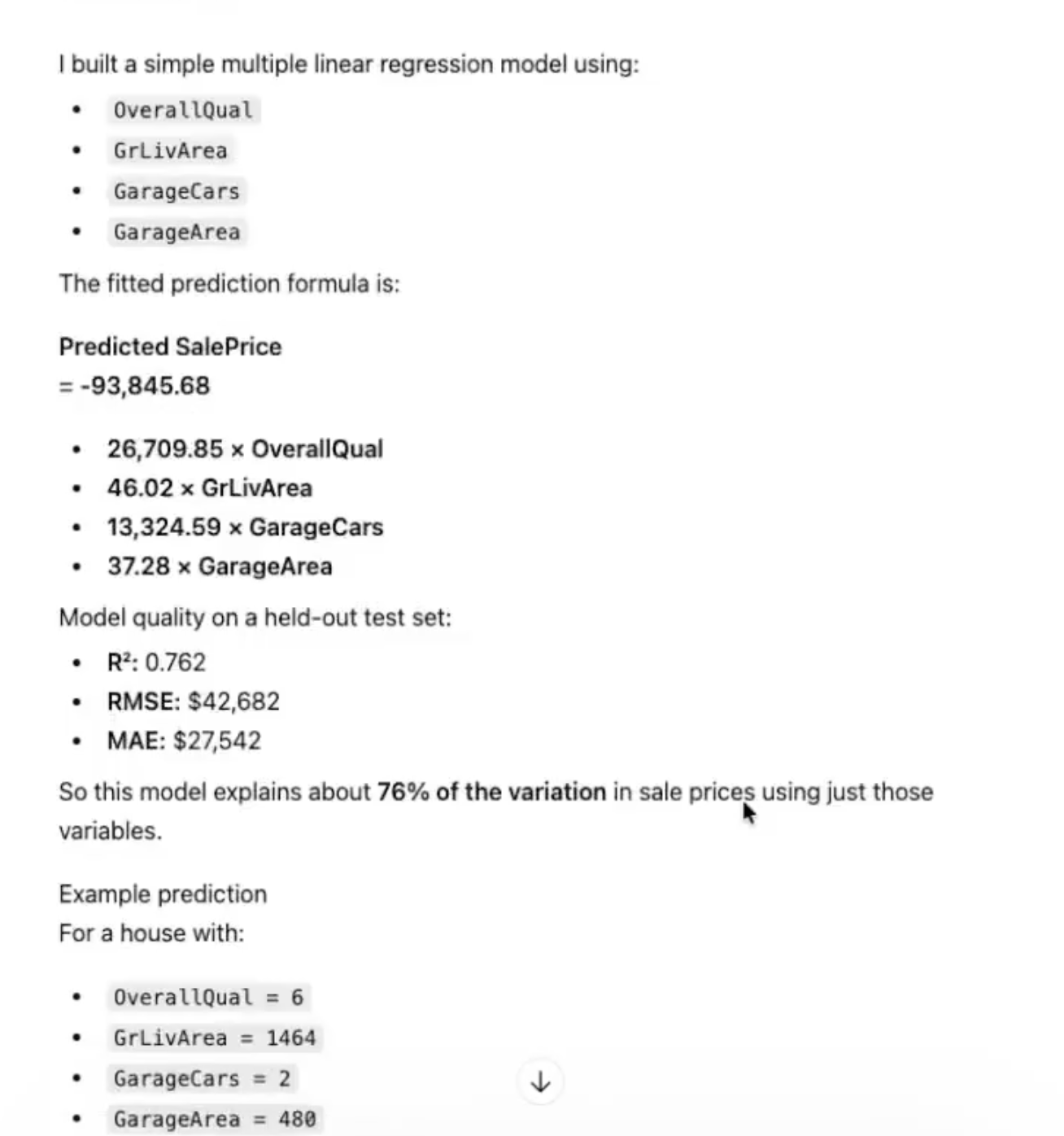
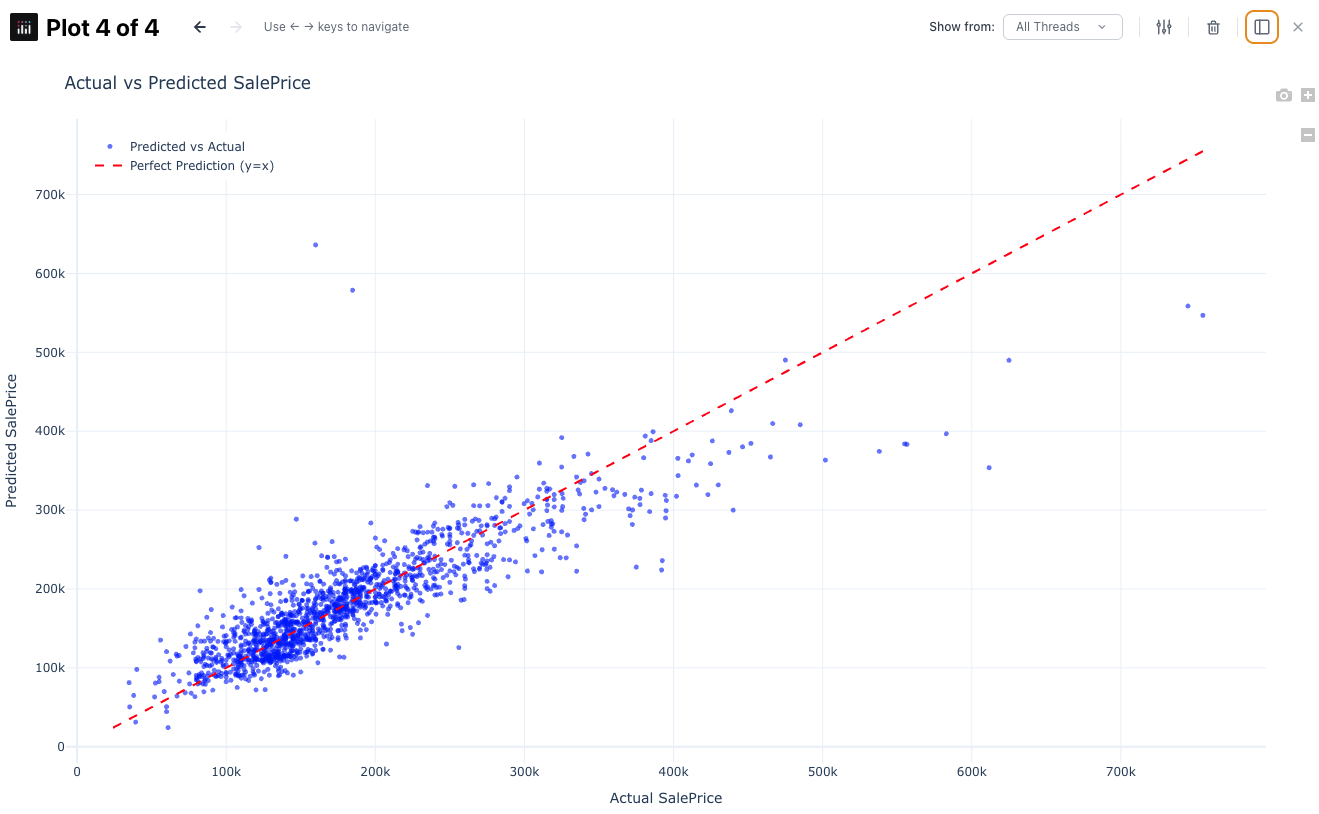
- We tested it head-to-head on house price prediction (Ames Housing). ChatGPT: R² 0.762, RMSE $42,682, no feature engineering. PlotStudio AI: R² 0.769, RMSE $38,224, proper cleaning, interaction terms, limitations section.
- If you’re looking for an alternative for data analytics that actually produces defensible analysis, PlotStudio is the one we’d recommend. It runs locally (no data upload), matches ChatGPT on speed when you want speed, and goes deeper when the output has to hold up.
Google autocomplete tells the story: people search “using chatgpt for data analytics” and “alternative for data analytics” in roughly equal measure. The first query is hopeful. The second is what happens ten minutes later.
This article is both halves of that journey. We’ll show exactly what ChatGPT does well, exactly where it breaks, and the alternative for data analytics we’d actually trust on real decisions.
What ChatGPT Actually Does With Your Data
Let’s be precise about what “using ChatGPT for data analytics” means in 2026. You upload a CSV to ChatGPT with Advanced Data Analysis enabled. Under the hood, ChatGPT writes Python, runs it in a sandboxed environment, and reads the result back to you in plain English. It will happily:
- Describe the schema (“you have 1,460 rows and 81 columns”)
- Produce a chart if you ask for one
- Fit a regression or classifier on request
- Compute summary statistics
- Answer follow-up questions conversationally
For an analyst who already knows what they’re doing, this is a useful fast calculator. For someone who doesn’t, it’s a confidence machine — it will return a polished answer whether or not the answer is any good.
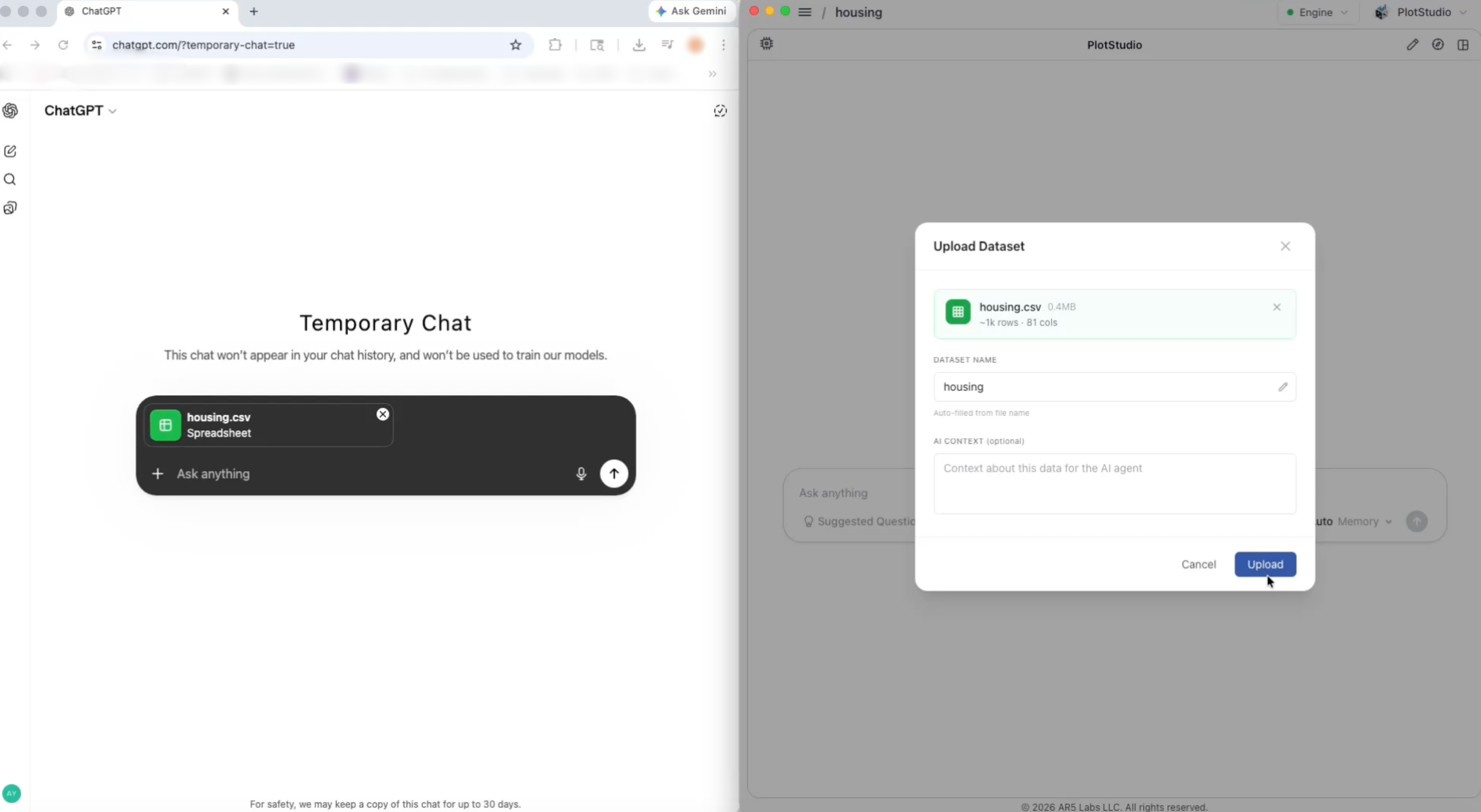
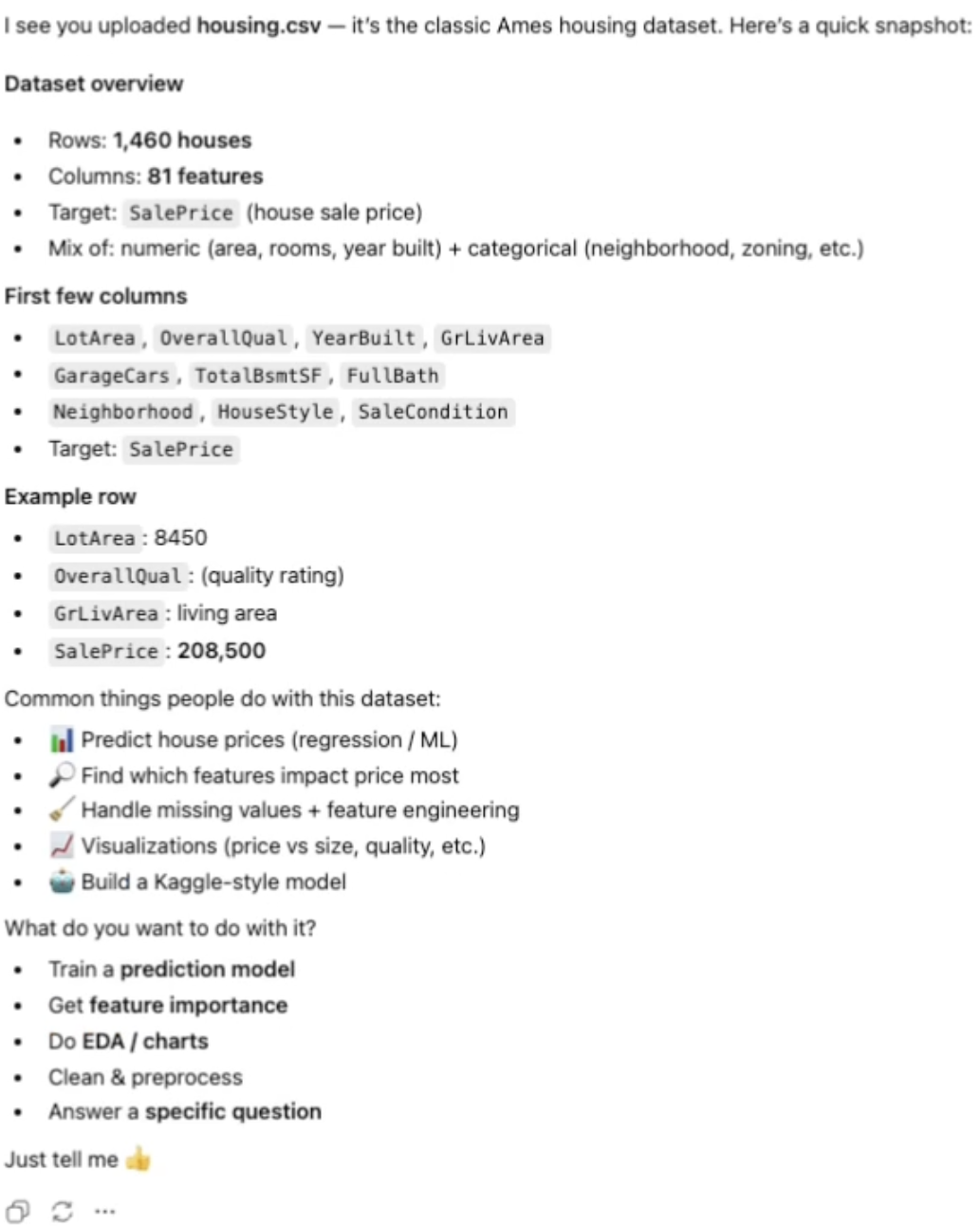
ChatGPT can run the code. It cannot decide which code to run — and that’s the part of data analytics that actually matters.
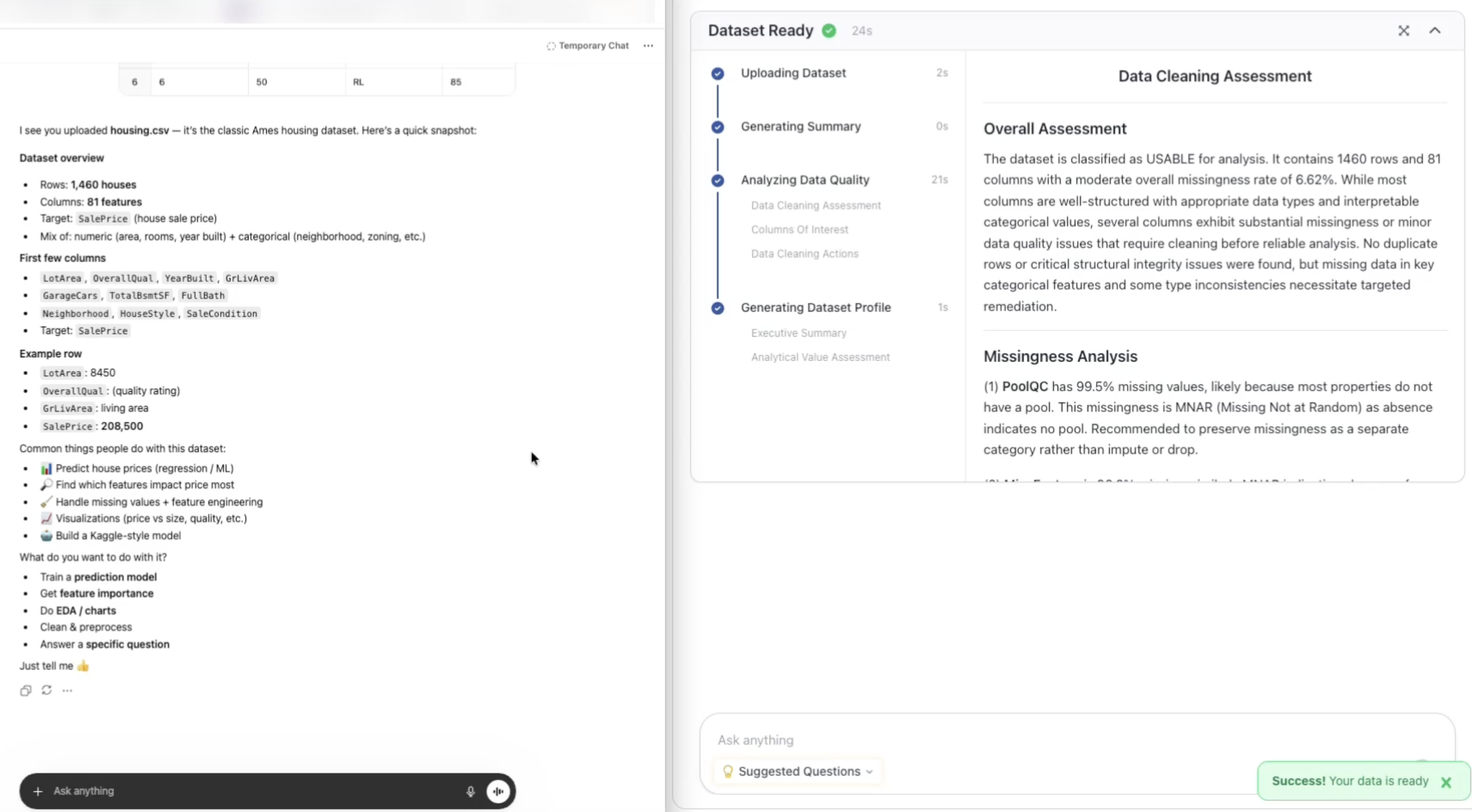
Compare what happens when you drop the same CSV into a tool built for the analyst workflow instead of the chat workflow — it starts profiling before you even ask a question:
Where Using ChatGPT for Data Analytics Actually Works
We want to be fair. There are real use cases for using ChatGPT for data analytics, and they share a pattern: the stakes are low and the user will sanity-check the output themselves.
- Quick exploratory questions. “What’s the distribution of prices?” “Which category has the most rows?” ChatGPT returns a chart in seconds.
- Spreadsheet-style manipulation. Pivots, joins, filters, aggregations. Ask in English, get the result.
- Learning the shape of an unfamiliar dataset before you write real analysis code.
- One-off calculations you would otherwise do in Excel or a notebook.
If this is your entire use case, you probably don’t need an alternative for data analytics. You need a fast calculator, and that’s exactly what ChatGPT is.
Where Using ChatGPT for Data Analytics Falls Apart
The problem starts the moment the output has to travel. The moment it has to be defended. The moment someone asks “how did you get to that number?” Five gaps show up consistently:
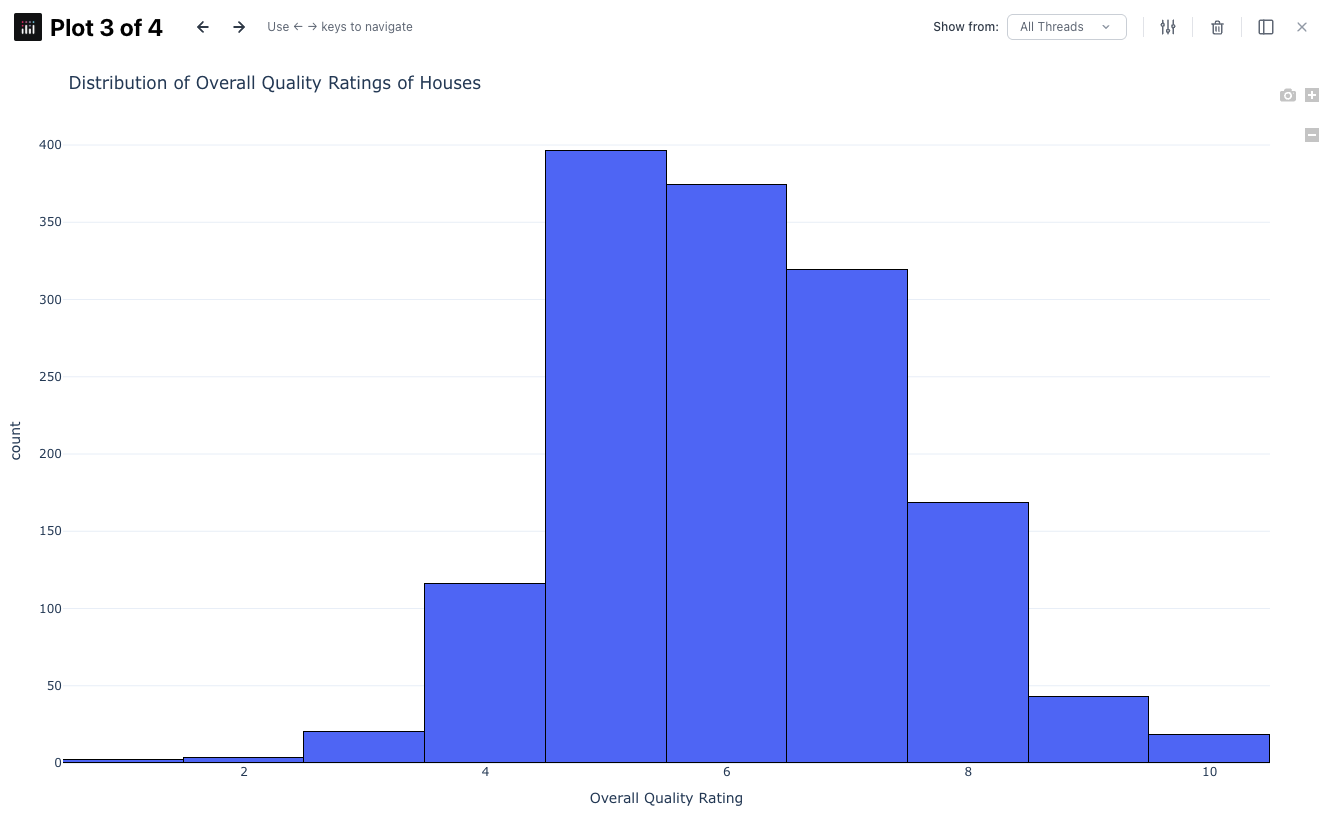
- No structured profiling. ChatGPT doesn’t audit the data before modeling. Skewness, missingness patterns, dominant categories, multicollinearity — all invisible unless you explicitly ask.
- No cleaning documentation. If ChatGPT drops rows or imputes values, it does so invisibly. A real analyst workflow logs every transformation.
- No feature engineering. ChatGPT will fit a plain linear regression. It won’t think to add interaction terms, polynomial features, or domain-appropriate transformations unless prompted — at which point you’re the analyst, not the tool.
- No limitations section. Every ChatGPT analysis ends with confidence. Real analyst reports end with caveats: sample size, assumptions, where the model will break.
- No reproducibility. The Python ChatGPT ran lives in a sandbox. Re-running it tomorrow may not give the same answer. You can’t hand the notebook to someone else.
These aren’t nitpicks. They’re the difference between a chatbot answer and an analyst deliverable.
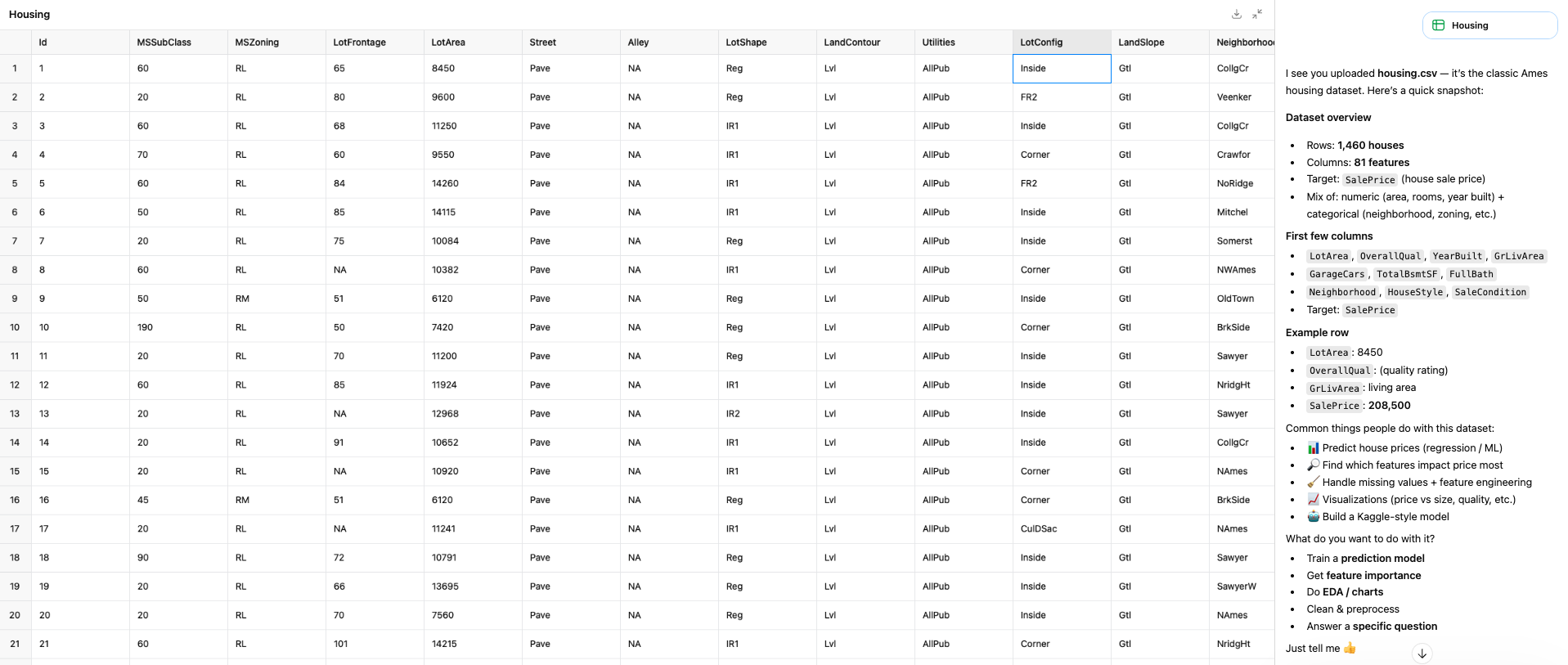
The Head-to-Head Test
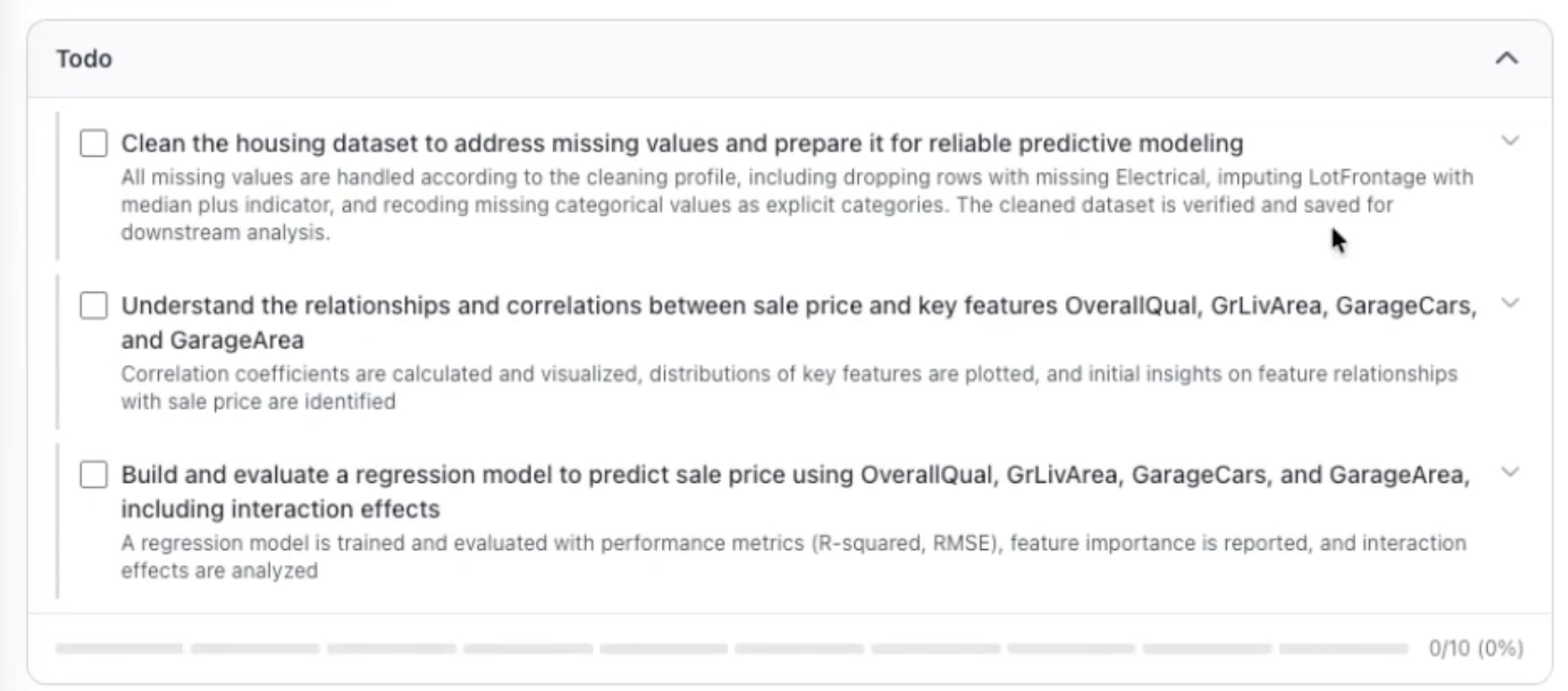
We gave ChatGPT (with Advanced Data Analysis) and PlotStudio AI the same Ames Housing dataset and the same question: build a model that predicts home sale price, and tell me what drives it.
| Metric | ChatGPT | PlotStudio AI (the alternative) |
|---|---|---|
| Time to output | ~30 sec | 3m 46s |
| R² (variance explained) | 0.762 | 0.769 |
| RMSE | $42,682 | $38,224 |
| Data cleaning documented | ❌ | ✅ |
| Missingness handled explicitly | ❌ | ✅ Median + indicator + None recoding |
| Feature distributions analyzed | ❌ | ✅ |
| Multicollinearity checked | ❌ | ✅ |
| Interaction terms included | ❌ | ✅ OverallQual × GrLivArea |
| Coefficients interpreted in business terms | ❌ | ✅ |
| Limitations section | ❌ | ✅ |
| Exports Jupyter notebook | ❌ | ✅ |
| Runs locally on your data | ❌ (uploads to OpenAI) | ✅ Desktop, BYOK |
The R² gap (0.762 vs 0.769) looks small on paper. In dollars, it’s a $4,458-per-home improvement in prediction error — and it came entirely from a step ChatGPT didn’t think to take: an interaction term between quality and living area, because extra square footage is worth more in a high-quality home than a low-quality one.
ChatGPT’s answer wasn’t wrong. It was shallow. That’s the single most important fact about using ChatGPT for data analytics — and the reason people end up searching for an alternative.
What ChatGPT Missed
Here’s the specific list of what the ChatGPT run left on the table in this test:
- LotFrontage missingness. ChatGPT either dropped rows silently or imputed with the mean. PlotStudio imputed with median and added a binary indicator column so the model could learn from the missingness signal itself.
- Amenity fields as absent, not null. Pool, fence, alley, fireplace — when these are missing in Ames, it means the house doesn’t have one. PlotStudio recoded them as explicit “None” categories. ChatGPT treated them as missing data.
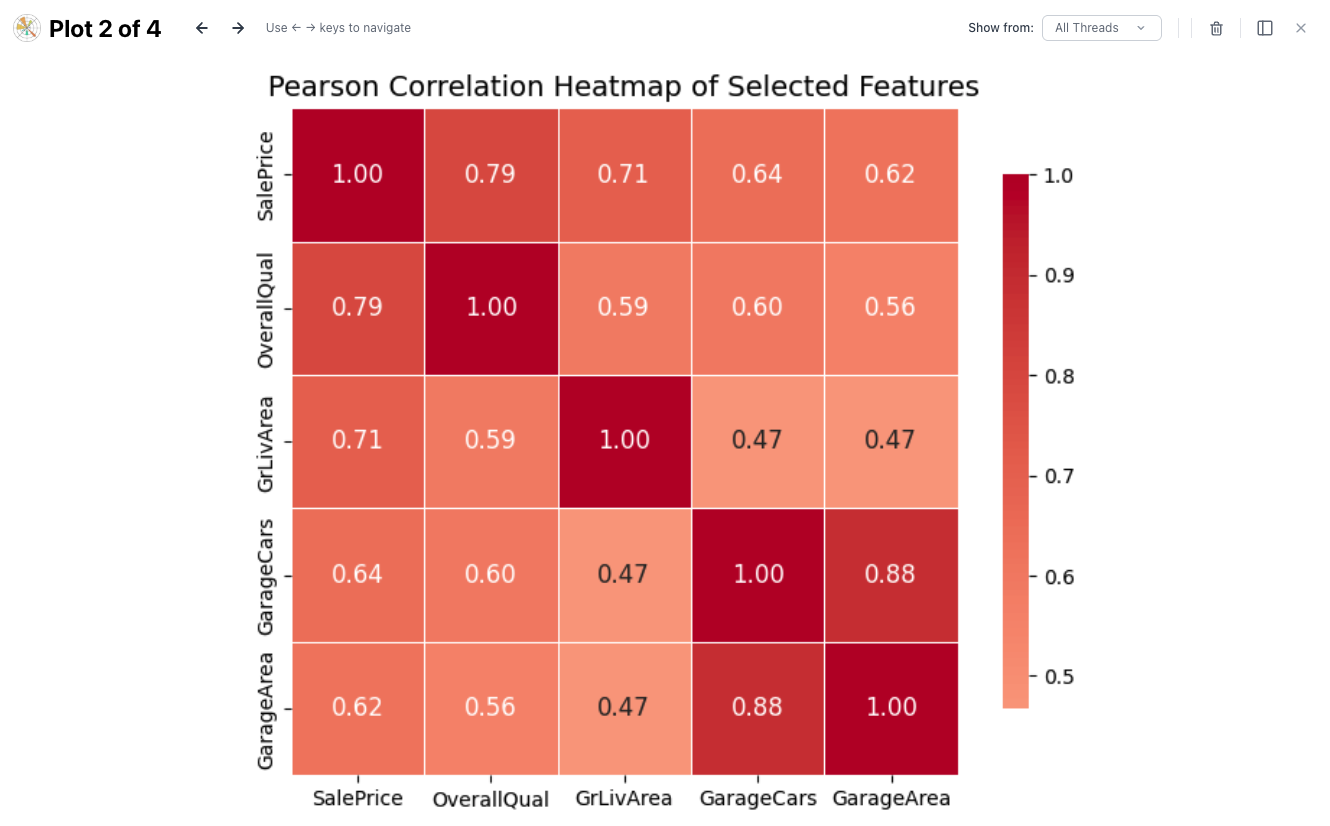
- Multicollinearity. GarageCars and GarageArea are nearly redundant. PlotStudio flagged this and chose one. ChatGPT kept both, inflating standard errors.
- Non-linear relationships. The interaction OverallQual × GrLivArea mentioned above. No prompt can make ChatGPT think of this unprompted — but a purpose-built analytics tool should, and PlotStudio did.
- Business-language interpretation. ChatGPT reported coefficients. PlotStudio reported what those coefficients mean in dollars and decisions.
- Limitations. The model is trained on one town, one five-year window, no demographic features. ChatGPT didn’t mention any of this. PlotStudio dedicated a section to it.
The Alternative for Data Analytics We’d Actually Use
If you’re looking for an alternative for data analytics that does what ChatGPT doesn’t, the pattern to look for is a tool built around the analyst workflow, not the chat workflow. Concretely, that means:
- Profiles the dataset on upload, before you ask anything — data quality, missingness classification, distributions, correlations.
- Documents every cleaning decision with a row count and a reason.
- Runs proper feature engineering, including interaction terms and domain-aware transformations.
- Produces an audited report with methodology, interpretation, and limitations — not a chat transcript.
- Exports reproducible code (Jupyter notebook) so the analysis can be re-run, reviewed, and built on.
- Runs locally so sensitive data never leaves your machine.
The tool we built — PlotStudio AI — does exactly that. We also run it ourselves for client work, which is how we know where the gaps in ChatGPT-based workflows are. You can download it free and run the same test we ran.
Try the alternative for data analytics we tested here
Desktop app. Runs locally. Free trial — no credit card required.
When Using ChatGPT for Data Analytics Is Still the Right Call
We’re not anti-ChatGPT. If the question fits this profile, ChatGPT is the fastest and most convenient tool available:
- You’re the person who’ll interpret and sanity-check the output.
- The answer doesn’t have to be handed to anyone else.
- The dataset isn’t sensitive — you’re fine with it going to OpenAI.
- You’re asking a one-off question, not producing a recurring report.
- You don’t need the code afterward.
For anything outside that box — client work, regulated data, recurring analysis, reports that will be scrutinized — use a purpose-built alternative for data analytics. That’s the whole argument.